 ROS Index
|
|
Repository Summary
| Description | |
| Checkout URI | https://github.com/tenfoldpaper/multipanda_ros2.git |
| VCS Type | git |
| VCS Version | humble |
| Last Updated | 2025-03-07 |
| Dev Status | UNMAINTAINED |
| CI status | No Continuous Integration |
| Released | UNRELEASED |
| Tags | No category tags. |
| Contributing |
Help Wanted (0)
Good First Issues (0) Pull Requests to Review (0) |
Packages
| Name | Version |
|---|---|
| franka_bringup | 0.0.0 |
| franka_control2 | 0.0.0 |
| franka_description | 0.0.0 |
| franka_example_controllers | 0.0.0 |
| franka_gripper | 0.0.0 |
| franka_hardware | 0.0.0 |
| franka_moveit_config | 0.0.0 |
| franka_msgs | 0.0.0 |
| multi_mode_control_msgs | 0.0.0 |
| multi_mode_controller | 0.0.0 |
| multi_mode_controller_impl | 0.0.0 |
| panda_motion_generator_msgs | 0.0.0 |
| panda_motion_generators | 0.0.0 |
| franka_robot_state_broadcaster | 0.0.1 |
| franka_semantic_components | 0.0.0 |
| franka_simple_publishers | 0.0.0 |
| garmi_bringup | 0.0.0 |
| garmi_controllers | 0.0.0 |
| garmi_description | 0.0.0 |
| garmi_moveit_config | 0.0.0 |
README
multipanda_ros2
A sim- and real Panda robot integration based on the ros2_control framework
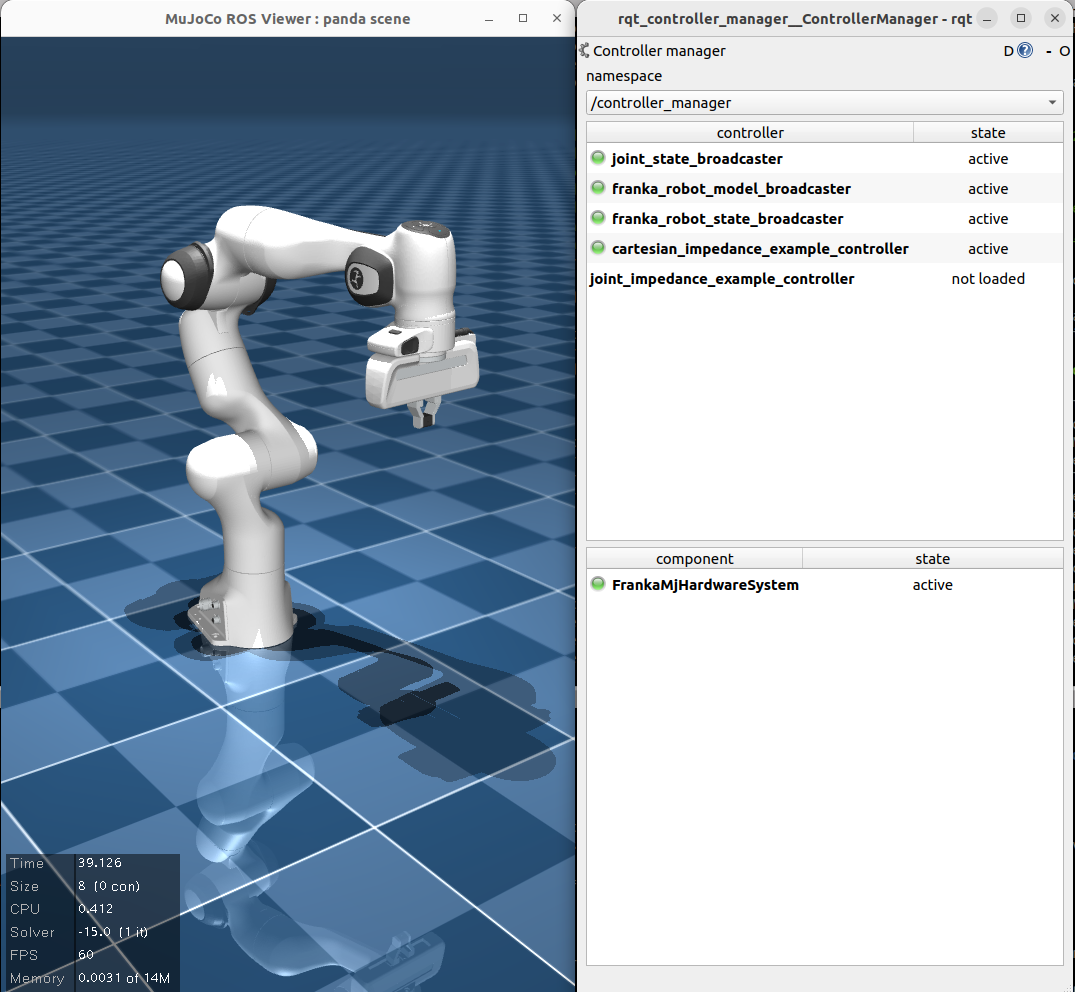
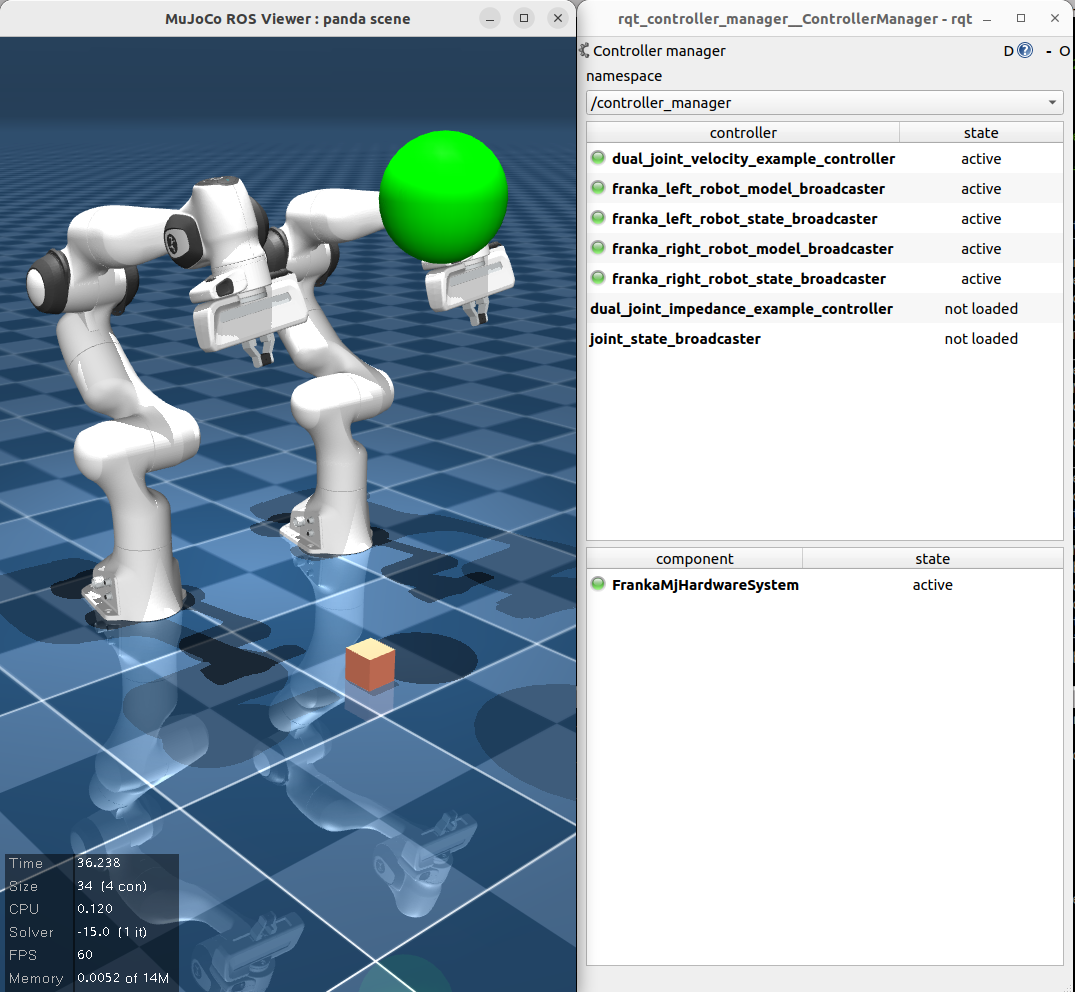
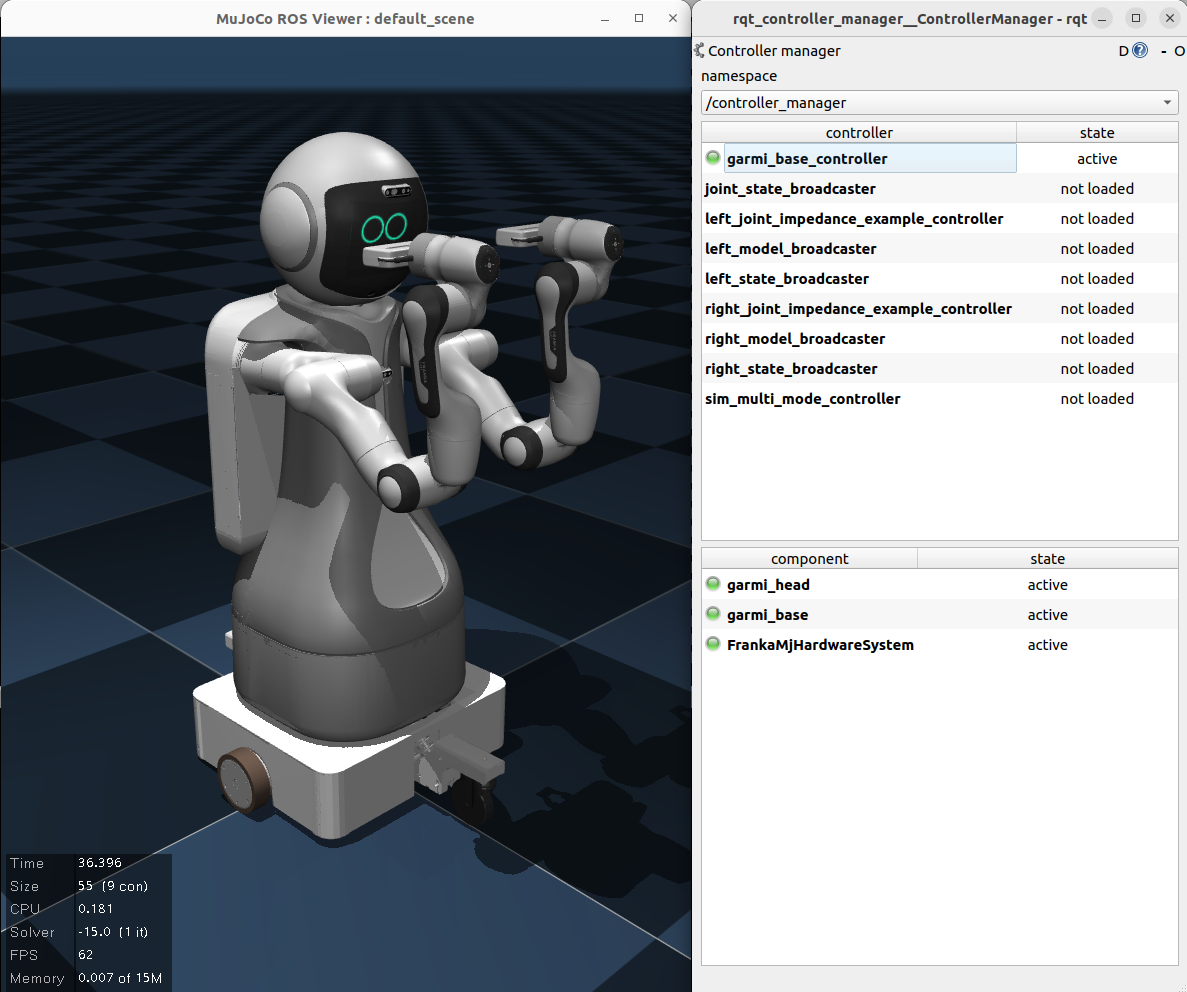
This project implements most features from the original franka_ros repository in ROS2 Humble, specifically for the Franka Emika Robot (Panda).
This project significantly expands upon the original franka_ros2 from the company, who dropped the support for the Pandas.
Additionally, multi-arm mujoco simulation has been integrated, meaning you can now run the same controller on both simulated and real robots.
The simulation is designed as a plugin to the mujoco_ros_pkg.
The current version relies on a fork of the repository, which implements the ros2_control plugin as well as a generic SystemInterface for simple robot setups (e.g. a Panda arm mounted on a mobile base). This means, you should install the fork, not the original repo, until the two have been merged.
Work is ongoing to integrate FR3 into the architecture.
Documentation
Documentation for this project is available here.
Working features
More thorough information is available in the documentation.
- Real robot:
- FrankaState broadcaster
- All control interfaces (torque, position, velocity, Cartesian).
- Example controllers for all interfaces
- Controllers are swappable using rqt_controller_manager
- Runtime franka::ControlException error recovery via
~/service_server/error_recovery- Upon recovery, the previously executed control loop will be executed again, so no reloading necessary.
- Runtime internal parameter setter services much like what is offered in the updated
franka_ros2
- Sim robot:
- Same as the real robot, except Cartesian command interface is not available, and there is no plan to implement this for now.
- Gripper server with identical interface to the real gripper (i.e. action servers)
- Example controllers for the real single-arm listed above, that correspond to those interfaces, work out of the box.
- FrankaState implements the basics: torque, joint position/velocity,
O_T_EEandO_F_ext_hat. - Model provides all the existing functions:
pose,zeroJacobian,bodyJacobian,mass,gravity,coriolis.- Gravity for now just returns the corresponding
qfrc_gravcompforce from mujoco. - Coriolis =
qfrc_bias - qfrc_gravcomp
- Gravity for now just returns the corresponding
- Camera is available as part of
mujoco_ros_pkg’s features. You can simply add a<camera>object in your mujoco XML file, and the package will handle them. - With the forked repository’s
mujoco_ros2_control_systempackage, you can easily add components with additional degrees of freedom to your robot. Take a look atgarmi_packages/garmi_description/robots/*.ros2_control.xacrofor an example on how to do this.
Known issues
- Joint position controller might cause some bad motor behaviors. Suggest using torque or velocity for now.
- The default
franka_moveit_configpackage depends onwarehouse_ros_mongo, which has been deprecated. It has been changed towarehouse_ros_sqlitefor now to ensure thatrosdep installworks properly. For now, please refer to this discussion here for a potential solution; once a proper solution has been identified, it will be added.
Installation guide
(Tested on Ubuntu 22.04, ROS2 Humble, Panda 4.2.2 & 4.2.1, libfranka 0.9.2 and MuJoCo 3.2.0)
On a computer running Ubuntu 22.04 and real-time kernel (if you wish to use it with a real robot), do the following:
- Install ROS2 Humble by following their instructions and create a workspace.
- Install library dependencies:
- Install Eigen 3.3.9. Remove Eigen 3.4.0 if that was installed from following the
libfrankasteps.- Some functions will break if you use Eigen 3.4.0, and will fail to compile.
- Install
dq-roboticsC++ version
- Install Eigen 3.3.9. Remove Eigen 3.4.0 if that was installed from following the
- Build
libfranka0.9.2 from source:- Install dependencies:
sudo apt-get install -y build-essential cmake git libpoco-dev libfmt-dev- (Ideally, you should already have
build-essential,cmakeandgitalready installed)
- (Ideally, you should already have
- Clone the
libfrankarepo:git clone https://github.com/frankaemika/libfranka.git&& mkdir /home/user/Libraries/libfranka
&& cd libfranka \ - Check out 0.9.2 and update the submodules:
- Install dependencies:
        cd libfranka
        git checkout 0.9.2
        git submodule init
        git submodule update
- Build the library, and install it to the directory of your choice (here, `~/Libraries/libfranka`)
        mkdir build && cd build
        cmake -DCMAKE_BUILD_TYPE=Release -DBUILD_TESTS=OFF -DCMAKE_INSTALL_PREFIX=/home/user/Libraries/libfranka ..
        cmake --build .
        cmake --install .
- Build MuJoCo 3.2.0 (required by
mujoco_ros_pkg) from source by following the instructions. - Install
mujoco_ros_pkg, specifically this fork. - Clone this repository (i.e. the multipanda) into your workspace’s
srcfolder. -
Install the dependencies by running this rosdep command from the workspace root:
rosdep install --from-paths src -y --ignore-src - Export the
{mujoco/libfranka}/lib/cmakedirectories as aCMAKE_PREFIX_PATHin your environment, i.e.- in
~/.bashrc,export CMAKE_PREFIX_PATH={path to mujoco installation}/lib/cmake:{path to libfranka installation}/lib/cmake
- in
-
Add the build path to your
LD_LIBRARY_PATHby adding the following line to your~/.bashrc:export LD_LIBRARY_PATH=$LD_LIBRARY_PATH:{path to libfranka install}/lib:{path to mujoco's install}/lib -
Source the workspace, then in your workspace root, call:
colcon build --cmake-args -DCMAKE_BUILD_TYPE=Release- The paths to mujoco and libfranka are added to
CMAKE_PREFIX_PATH, so no separate args are needed. - The MuJoCo path is the INSTALLED folder’s directory. The
libfolder should only have the two.sofiles, and a folder calledcmake. - Likewise, the
libfrankapath should contain thecmakefolder and the.sofiles.
- The paths to mujoco and libfranka are added to
- To run:
- Single arm:
- with real robot, source the workspace, and run:
- Default:
ros2 launch franka_bringup franka.launch.py robot_ip:=<fci-ip>. - Multi-mode:
ros2 launch franka_bringup multimode_franka.launch.py robot_ip:=<fci-ip>. -
arm_idis fixed topanda.
- Default:
- for simulated robot, source the workspace, and run:
- Default:
ros2 launch franka_bringup franka_sim.launch.py. -
arm_idis fixed topanda. - Currently, only the robot with gripper attachment is available.
- Default:
- with real robot, source the workspace, and run:
- Dual arm:
- with real robot, source the workspace, and run:
- Default:
ros2 launch franka_bringup dual_franka.launch.py robot_ip_1:=<robot-1-fci-ip> robot_ip_2:=<robot-2-fci-ip> arm_id_1=<robot-1-name> arm_id_2=<robot-2-name>. - Multi-mode:
ros2 launch franka_bringup dual_multimode_franka.launch.py robot_ip_1:=<robot-1-fci-ip> robot_ip_2:=<robot-2-fci-ip> arm_id_1=<robot-1-name> arm_id_2=<robot-2-name>. - There is no default
arm_id. - Grippers are set to true by default; add
hand_n=falseto disable this.
- Default:
- for simulated robot, source the workspace, and run:
- Default:
ros2 launch franka_bringup dual_franka_sim.launch.py. -
arm_id_1=mj_leftandarm_id_2=mj_rightby default.
- Default:
- with real robot, source the workspace, and run:
- Garmi (mobile manipulator with two Panda arms):
- for simulated robot, source the workspace, and run:
ros2 launch garmi_bringup sim_garmi.launch.py
- for simulated robot, source the workspace, and run:
- Single arm:
Using with Docker
- Build the docker image:
- at the root of the repository (where
Dockerfileis located), runsudo docker build -t "bimanual:garmi" ./, or whatever name you want; just adjust them in thedocker-compose.ymlor thedocker runcommand below. - This installs all the required packages including
rosdep.
- at the root of the repository (where
- Start the docker container with
docker compose(for iGPUs):-
xhost +; sudo docker compose -f docker-compose.yml up-
xhost +is needed to give the Docker container access to the host’s screen. - The
docker-compose.ymlfile defines configurations that allow the container to run on the realtime kernel of the host, assuming that the host has one. The instructions were found in here. - Currently, running GUI apps outputs warnings in the console. Those can be ignored.
-
- Alternatively, with
docker run(this has no RT kernel, so only the sim would work)
-
        xhost +
        sudo docker run \
        -dit \
        -v /tmp/.X11-unix:/tmp/.X11-unix \
        --device=/dev/dri:/dev/dri \
        --env="DISPLAY=$DISPLAY" \
        --name=my_container \
        --network="host" \
        bimanual:garmi
    * The `--network="host"` is what enables the FCI IP address to be found from inside Docker without any additional configuration. TODO: Add a more elegant way to handle this.
* For other GPUs, please refer online. 3. Access the container with:
- for `compose`, `sudo docker exec -it realtime_humble bash`
- for `run`, `sudo docker exec -it my_container bash` 4. (OPTIONAL) Check that the connection to the robot, RT kernel and screen are all working fine.
- You can check if docker is properly linked to your screen by running:
    - `ros2 run rviz2 rviz2` or
    - `~/Libraries/mujoco/bin/simulate`
- For RT kernel and robot connection, run
    - `~/Libraries/libfranka/bin/communication_test <robot-ip>`
Credits
The original version is forked from mcbed’s port of franka_ros2 for humble.
License
All packages of multipanda_ros2 are licensed under the Apache 2.0 license, following franka_ros2.